

Every Dallas business owner we meet asks the same question: “Which behavioral analytics tool should I use — Microsoft Clarity or Hotjar?”
The marketing on both tools makes the choice sound impossible. Clarity is 100% free with no traffic limits. Hotjar charges $32–$171/month but offers user surveys and recruited interviews. Both claim to fix your conversion problems. Both have happy clients and angry ex-clients in equal measure.
Having deployed both tools on Dallas client accounts, we have a clear answer. And it might not be the answer you were expecting.
Use Microsoft Clarity for free behavioral data with no traffic limits (heatmaps, recordings, rage click detection). Use Hotjar for direct user feedback (surveys, polls, recruited interviews). The smart move for most Dallas businesses: install both. They answer fundamentally different questions, and combined they cost less than $100/month while delivering 10x more insight than either alone.
Looking for hands-on help instead of DIY? Skip ahead to our Microsoft Clarity setup.
The Pricing Showdown: Free vs Paid
Let’s start with the most obvious difference, because it’s the one Dallas business owners care about first.
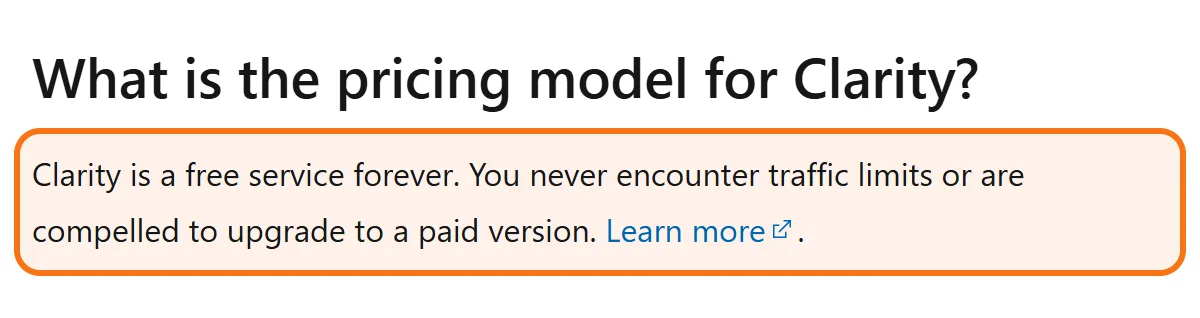
Microsoft Clarity Pricing
$0/month. Forever. No traffic limits. The only cap is on recordings: up to 100,000 sessions per project per day. Microsoft offers Clarity entirely free because the data improves their AI training. For Dallas businesses, this is the deal of the decade — enterprise-grade behavioral analytics at zero cost. We’ve installed Clarity on sites doing 50K monthly sessions and on sites doing 50M monthly sessions. Same price. Always free.
Hotjar Pricing (2026)
Hotjar offers tiered pricing based on identified users per month:
- Free plan: Up to 35 daily sessions. Useful for testing only.
- Plus plan: $32/month (100 daily sessions).
- Business plan: $80/month (500 daily sessions).
- Scale plan: $171/month (1,500 daily sessions).
Most Dallas clients we work with run on Plus or Business depending on traffic volume. For a site doing 30K monthly sessions, expect ~$80–$120/month in Hotjar fees. Annual prepay saves about 15%.
Feature-by-Feature Comparison
The pricing tells half the story. The features tell the other half.
Where Microsoft Clarity Wins
- Free session recordings, up to 100,000 sessions per project per day. Recordings stay available for 30 days; favorites and a random sample are kept for up to 9 months. Hotjar caps recordings by plan.
- Rage click detection. Clarity automatically flags users who click repeatedly in a clustered area within a short period — a strong frustration signal.
- Dead click detection. Identifies clicks on non-clickable elements (users trying to interact with images, plain text, or broken buttons).
- Quick back detection. Flags visitors who go to a new page and quickly return to the previous one — usually a sign of confusing navigation or a page that did not match what the link promised.
- Excessive scrolling detection. Spots users scrolling up and down repeatedly looking for something.
- AI-powered insights. Clarity uses Microsoft’s AI to auto-summarize sessions and surface anomalies.
- Native Google Analytics integration. One-click connection to GA4. You can filter Clarity recordings by GA4 audience segments (e.g., “only show me sessions from users who didn’t convert”).
Where Hotjar Wins
- Native surveys and polls. Hotjar lets you trigger surveys at specific user moments (exit intent, after time-on-page, after specific events). Clarity doesn’t do surveys at all.
- Recruited user interviews. Hotjar Engage lets you recruit, pay, and conduct moderated 30-minute user interviews directly from the dashboard. This is uniquely valuable for high-stakes redesigns.
- Feedback widget. A floating widget on your site that asks “was this page helpful?” in real-time. Captures qualitative feedback you’d never get from analytics alone.
- Form analysis. Hotjar breaks down form abandonment field-by-field — showing exactly which input is making users bail.
- Cleaner playback UI. Hotjar’s recording playback interface is more polished than Clarity’s. Easier to share with stakeholders.
| What you want to know | Tool | Feature to use |
|---|---|---|
| Where do visitors click again and again in frustration? | Microsoft Clarity | Rage click detection |
| Are people clicking images, plain text or buttons that do nothing? | Microsoft Clarity | Dead click detection |
| Do visitors open a page and go straight back? | Microsoft Clarity | Quick back detection |
| Are visitors scrolling up and down looking for something? | Microsoft Clarity | Excessive scrolling detection |
| Why are visitors leaving this page? | Hotjar | A survey shown on exit intent or after a set time on the page |
| Which form field makes people give up? | Hotjar | Form analysis, field by field |
| What do real buyers think before a big redesign? | Hotjar | Recruited 30-minute user interviews |
Clarity's features flag what happened without anyone being asked; Hotjar's features collect the visitor's own explanation. Find the row that matches your question and open that feature first.
Privacy & Compliance
This used to be where the comparison got tense. In 2024, Hotjar had a clear edge in privacy controls. By 2026, both tools are at parity.
Clarity: Masks everything typed into input boxes and drop-downs in every mode, plus numbers and email addresses on the page by default; names in page text need Strict mode or element masking. GDPR and CCPA are covered in Microsoft’s documentation. HIPAA is a separate question: under HHS guidance, patient information may reach a tracking vendor only with the patient’s authorization or a signed business associate agreement. We’ve deployed Clarity on Dallas healthcare practices and legal firms.
Hotjar: Same default masking. Same GDPR/CCPA position, and the same HIPAA caution applies. Slightly more granular consent management for EU clients.
Verdict: For most businesses neither tool is a deal-breaker on privacy grounds, so choose based on features; healthcare sites must settle the HIPAA question first.
Performance Impact on Your Site
This matters in 2026 more than ever. Google’s Core Web Vitals now factor into rankings, and a slow site costs you both traffic and conversions.
Clarity: Loads asynchronously after the page renders. Typical impact: under 50ms on first paint, zero impact on LCP. We’ve installed Clarity on speed-critical Dallas e-commerce sites with zero degradation in real-world Core Web Vitals measurements.
Hotjar: Also loads asynchronously. Typical impact: 100–200ms on first paint. Slightly heavier than Clarity. On most sites this is well within tolerance. On speed-critical sites we sometimes defer Hotjar loading or load it only on specific pages.
Verdict: Clarity slightly lighter, but both acceptable for 99% of Dallas business sites.
Our Actual Recommendation: Install Both
Here’s the truth most comparison articles won’t tell you: these tools aren’t direct competitors. They answer fundamentally different questions.
Clarity tells you what users did. Where they clicked. Where they scrolled. Where they rage-clicked. Where they hesitated. It captures every behavioral signal with no traffic limits, for free.
Hotjar lets you ask why they did it. Through surveys, polls, and interviews, you get qualitative data straight from the user’s mouth: “I couldn’t find the shipping info before adding to cart,” “the date picker was broken on my iPhone,” “I thought the trial was charging me.”
The combination is far more powerful than either alone. We can watch a Clarity recording of a checkout abandonment, see the exact moment of friction, then check the Hotjar exit-intent survey responses from that same time window and find the verbalized reason. Behavioral data + qualitative feedback = root cause identified.
The Stack We Deploy on Every Dallas Client
- Microsoft Clarity on every page, capturing behavioral data with no traffic limits ($0/mo)
- Hotjar Plus or Business running surveys on conversion-critical pages ($32–$80/mo)
- Google Tag Manager as the deployment hub for both tools, plus all other tracking
- Google Analytics 4 as the analytics backbone, with Clarity sessions tagged by GA4 audience
Total monthly cost: $32–$80. Total insight delivered: 10x what either tool produces alone.
- Microsoft Clarity Pricing
- Hotjar Pricing (2026)
- Where Microsoft Clarity Wins
- Where Hotjar Wins
The Dallas market dynamics make behavioral analytics non-negotiable in 2026. Average DFW commercial CPC is 30–60% higher than national averages in many verticals (legal, healthcare, finance, B2B SaaS). When you’re paying premium rates for traffic, every conversion friction point costs you more.
Picture how this plays out in a DFW submarket. A Plano enterprise B2B company pays $4.80 average CPC on commercial-intent keywords. Its site has a broken form on Safari iOS — representing 42% of its mobile traffic. Without Clarity recordings, nobody finds it. With them, it gets caught in week one — and at those CPCs, a broken form for nearly half of mobile traffic is a five-figure annual revenue leak.
The other reality of DFW: client expectations are high. Dallas business owners want to see their CRO work, not just read reports. Session recordings and heatmaps make conversion optimization tangible — you can show a client a 30-second recording of a real user failing on their site, and they’ll approve any fix you recommend.
Worked Example: Why the Combined Stack Wins
Consider a hypothetical Dallas medspa (4 locations across Plano, Frisco, Uptown, and Las Colinas) that has Clarity installed but no Hotjar. Suppose watching 50 session recordings identifies 12 friction points — but the team can’t prioritize fixes confidently because it doesn’t know why users are leaving. The numbers are illustrative.
Add Hotjar Plus ($32/mo) with exit-intent surveys on the booking page. Within two weeks, a couple hundred survey responses would tell the team exactly why visitors abandon — something like: a third “couldn’t find pricing,” a fifth “wanted to compare locations first,” and a chunk “wasn’t sure about insurance acceptance.”
Combined data surfaces friction points that Clarity alone misses, and lets the team rank every fix by Impact vs Effort. That is the difference between guessing at priorities and knowing them — for a total Hotjar cost of under $100 over 90 days.
Frequently Asked Questions
It’s genuinely free with no traffic limits, no premium tiers locked behind paywalls, and one cap: recordings for up to 100,000 sessions per project per day. Microsoft uses anonymized aggregate data for AI training in exchange. For Dallas businesses, that’s a fair exchange for enterprise-tier analytics at zero cost. We have not hit a usage limit on a client site yet.
Yes, but you’ll get less data for more money. Hotjar caps session recordings by plan tier — on the Plus plan ($32/mo), you only get 100 daily sessions, which is a small fraction of most Dallas business traffic. Adding free Clarity captures the remaining 95%+ of sessions you’d otherwise miss.
Minimal impact when configured properly. Clarity adds ~50ms to first paint (async loaded). Hotjar adds ~100–200ms. Both fall well within Google’s Core Web Vitals tolerance for 99% of sites. On speed-critical e-commerce, we sometimes lazy-load Hotjar to specific pages only.
No — if anything it reduces work. Clarity surfaces behavioral problems. Hotjar surveys explain them. You don’t need to manually piece together ‘what happened’ from analytics, because both tools do it for you in different ways. Teams typically spend less total time analyzing data with both deployed than they did with just one.
Want both tools properly deployed on your Dallas site?
Free 30-minute consultation. We’ll review your current analytics stack, install Microsoft Clarity (free) and configure Hotjar for your traffic volume, then tag everything to Google Analytics 4 for unified reporting. Most setups take under 2 hours.
Get Free Setup ConsultationCall (346) 244-8617Book a free 30-minute call
Dallas, Texas · no obligation · you speak to Mantas, not a sales desk


