CRM & Automation · Dallas, TX

CRM & automation for Dallas businesses

A CRM built around your business that you own, instead of paying another monthly subscription per user. Every call and form lands in one place, follow-ups go out on time, and your team spends fewer paid hours on admin.

Instead of a subscription

A CRM you own, not another monthly bill

Built around your business, so you stop paying per user for software that almost fits.

Off-the-shelf CRM subscription

  • Paid per user, every month, for as long as you use it
  • The bill grows with every person you hire
  • Features you never use, and still not the ones you need
  • Add-ons and extra tools for texts, forms and reports

A CRM built for your business

  • Built once, around how your business works
  • No per-user fees: add your whole team
  • Only the screens and automations you use
  • One system in place of several tools
  • The system and the data are yours

Hosting and support stay. Per-user fees go.

Example · illustrative numbers

What it saves on payroll and software

  • $12,000a yearwhat 10 users pay for a CRM subscription at $100 per user a month, every year
  • 5–10 ha weekper person that automations commonly take over: data entry, reminders, follow-ups and reports
  • $12,480a yearof paid staff time per person: 8 hours a week × $30 an hour, back for real work

Industry estimates put the time CRM automation saves at 5–10 hours per employee a week. On the free call we work out your own numbers: users, hourly cost and the tasks we can automate.

Who it is for

Businesses that get inquiries but lose track of them

What we do

Four parts of a CRM that actually gets used

  1. 01

    A CRM set up for how you sell

    Pipeline stages, fields and users that match your process.

    • Your existing CRM, or help choosing one
    • Stages from new inquiry to won
    • Team access and simple views
  2. 02

    Every inquiry captured automatically

    Calls and forms go straight into the CRM with their source.

    • Website forms and booking tools
    • Call tracking connected
    • Source of each inquiry recorded
  3. 03

    Follow-ups that run on time

    Automatic replies, reminders and tasks so nobody is forgotten.

    • Instant reply to new inquiries
    • Reminders and tasks for your team
    • Simple email and text sequences
  4. 04

    Reports you can act on

    See which inquiries became clients and where they came from.

    • Pipeline and conversion view
    • Revenue by source where tracked
    • One monthly review with you
Case studies

Two CRMs we built, and what they fixed

Screens are from the live systems. Client names, addresses and contact details are blurred.

Case study 1

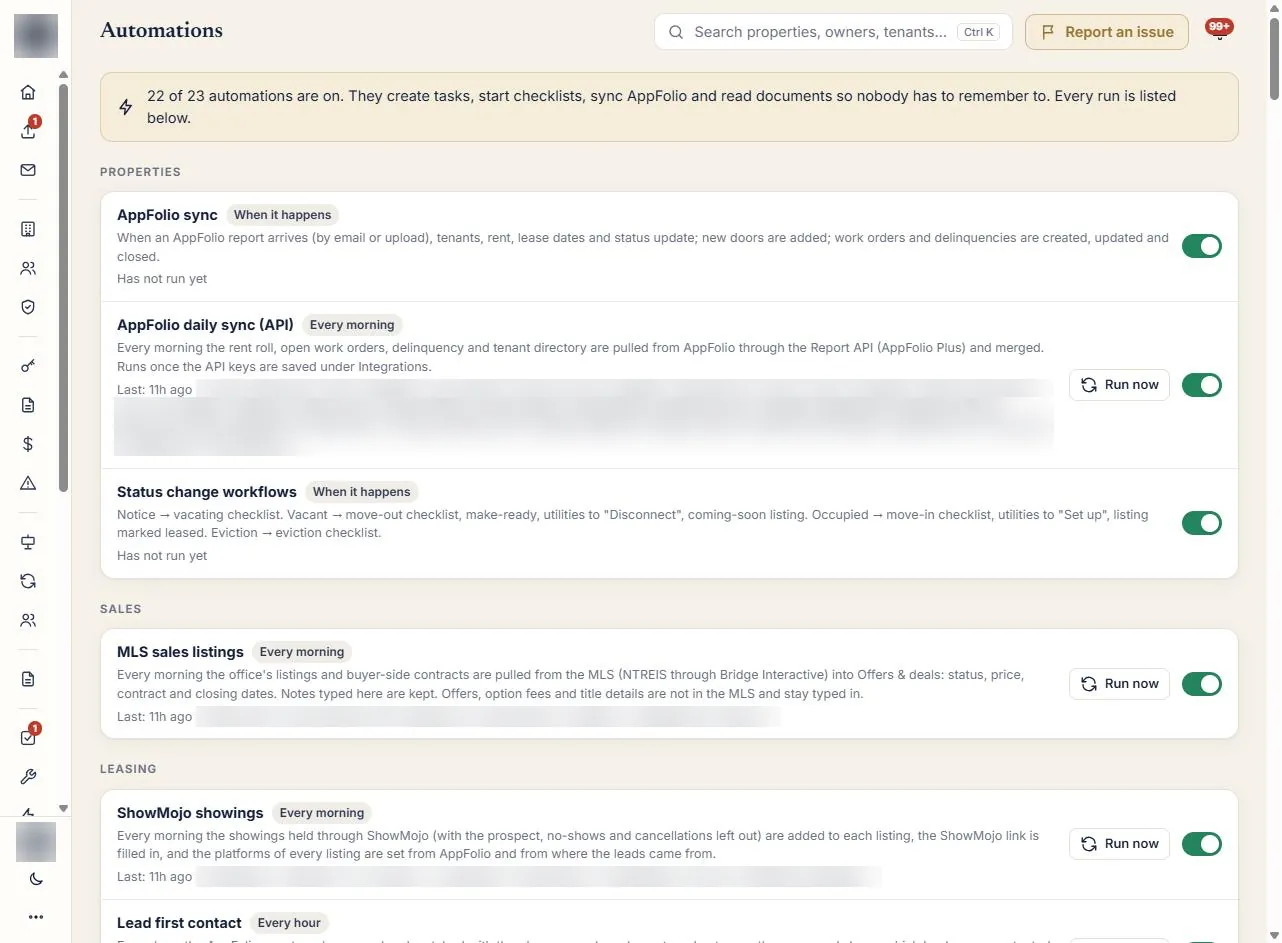
A custom CRM for a property management company

A Dallas–Fort Worth property management company that had outgrown spreadsheets and email.

What the CRM solved

  • One place for all dataProperties, owners, tenants, leases and money in one system, not in AppFolio, spreadsheets and email.
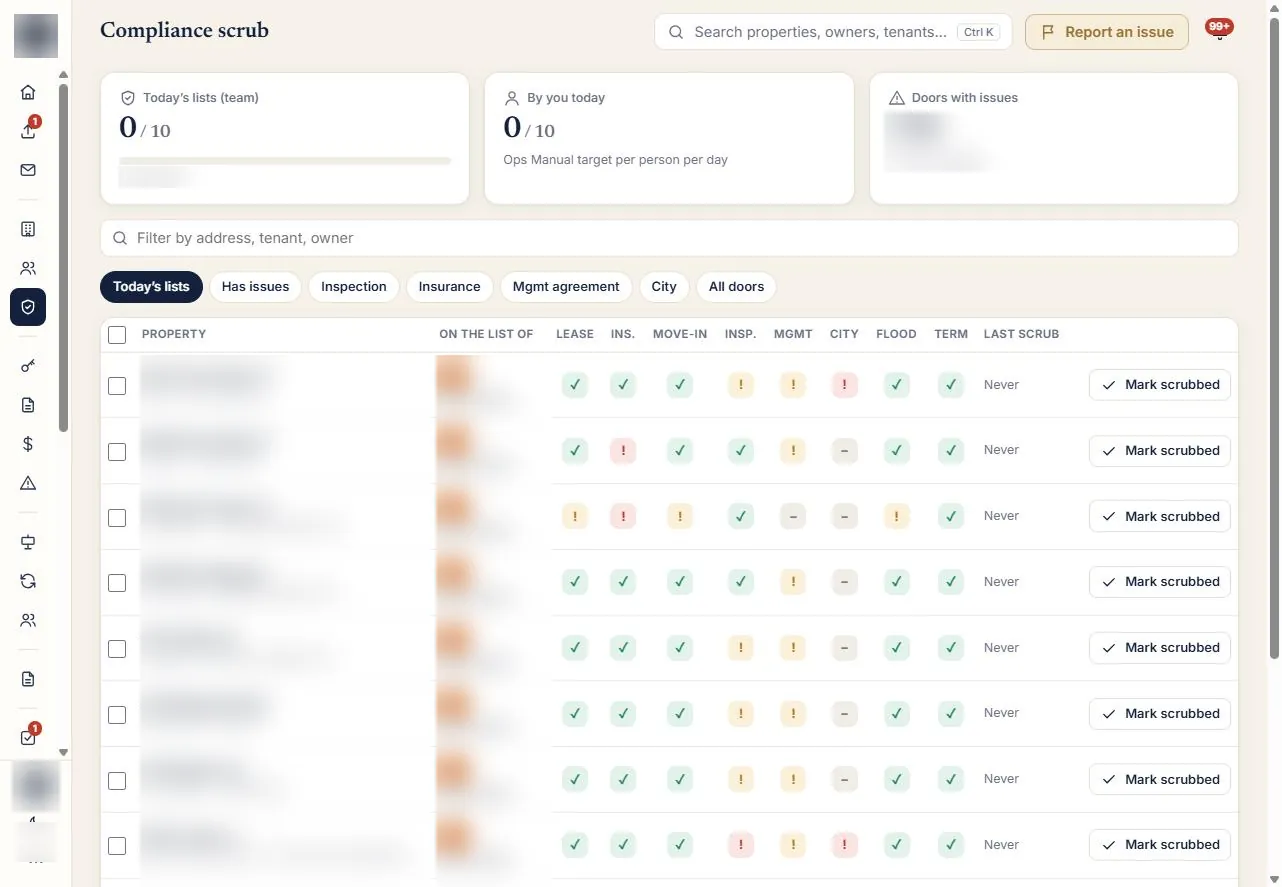
  • Nothing falls through the cracksExpired leases, missing insurance and overdue inspections land on one daily list.
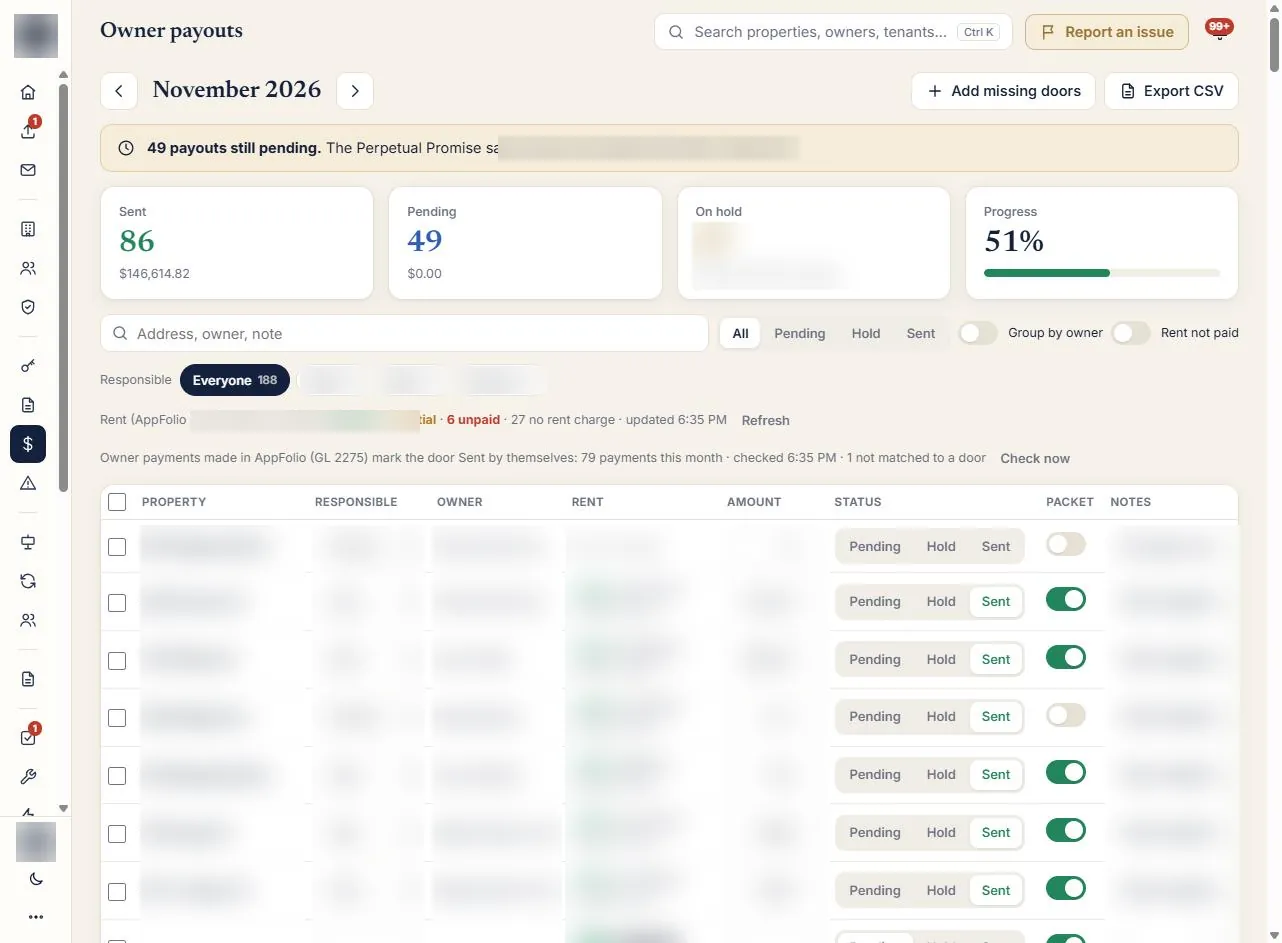
  • Owner payouts on timeEvery payout tracked against the “paid by the 10th” promise.
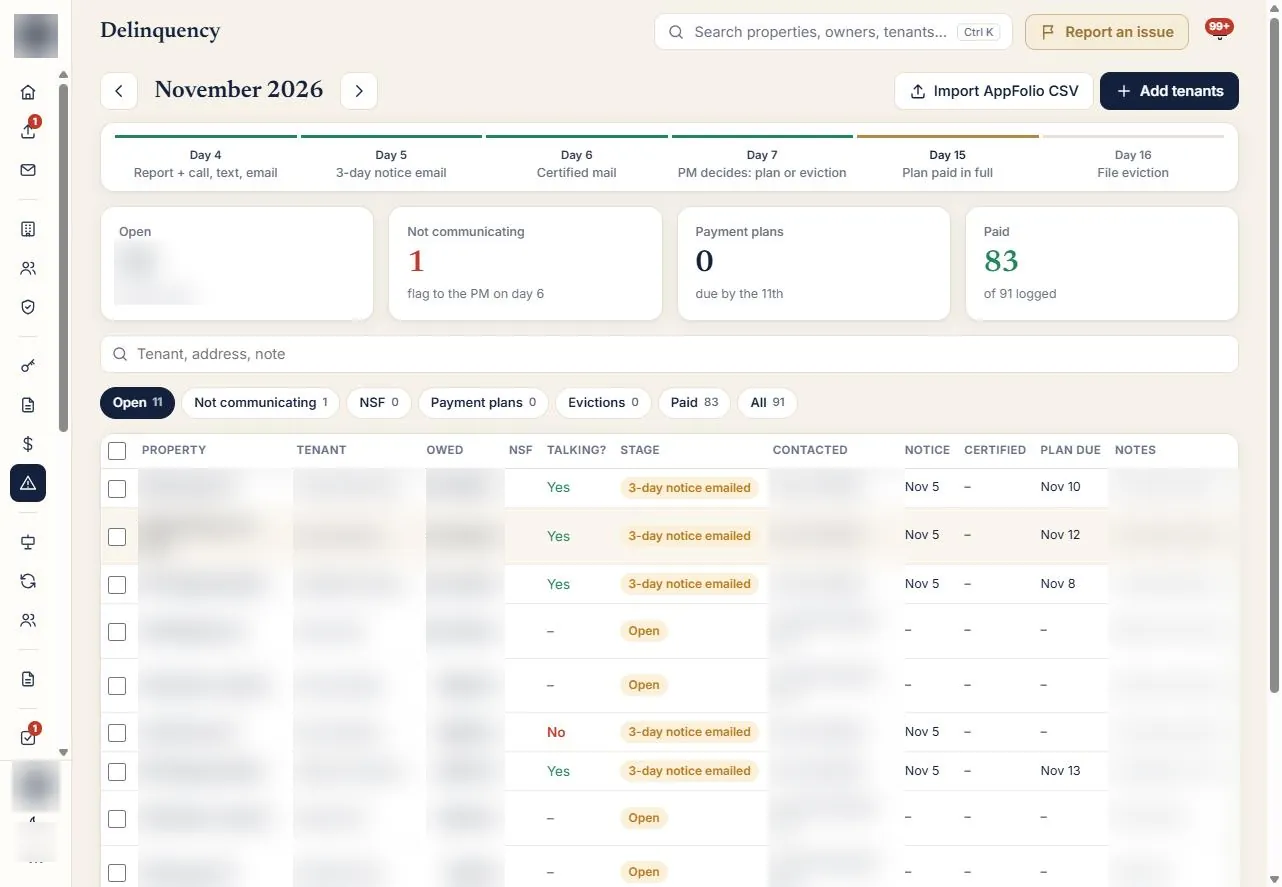
  • Less lost rentLate rent, vacant days and listings that need a price cut are flagged.
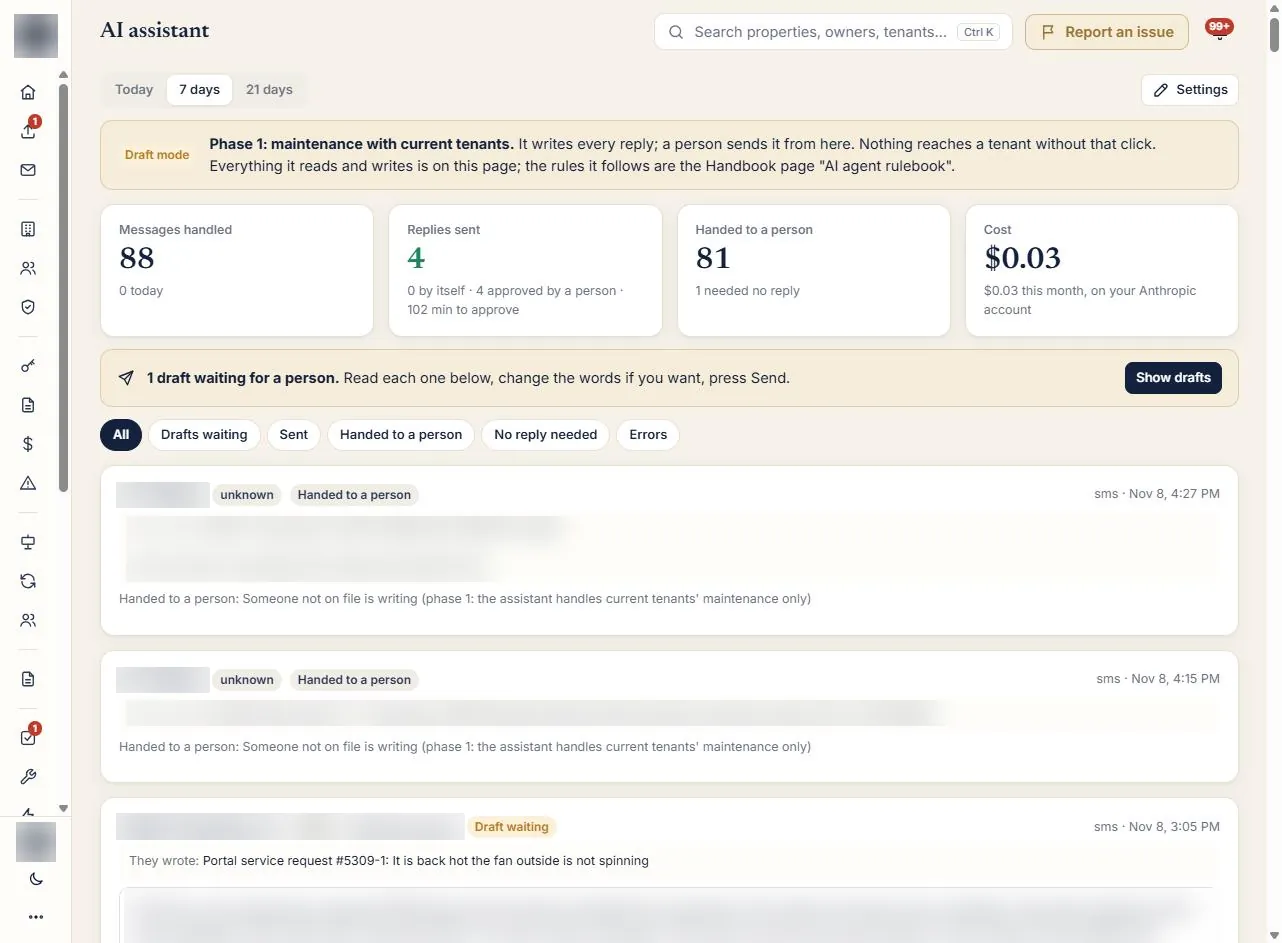
  • Faster repliesResponse-time targets; AI drafts replies, staff review and send.
  • Paperwork sorted for youIncoming documents are read and filed automatically.
  • Clear accountabilityTasks, quotas and scorecards show who is doing what.
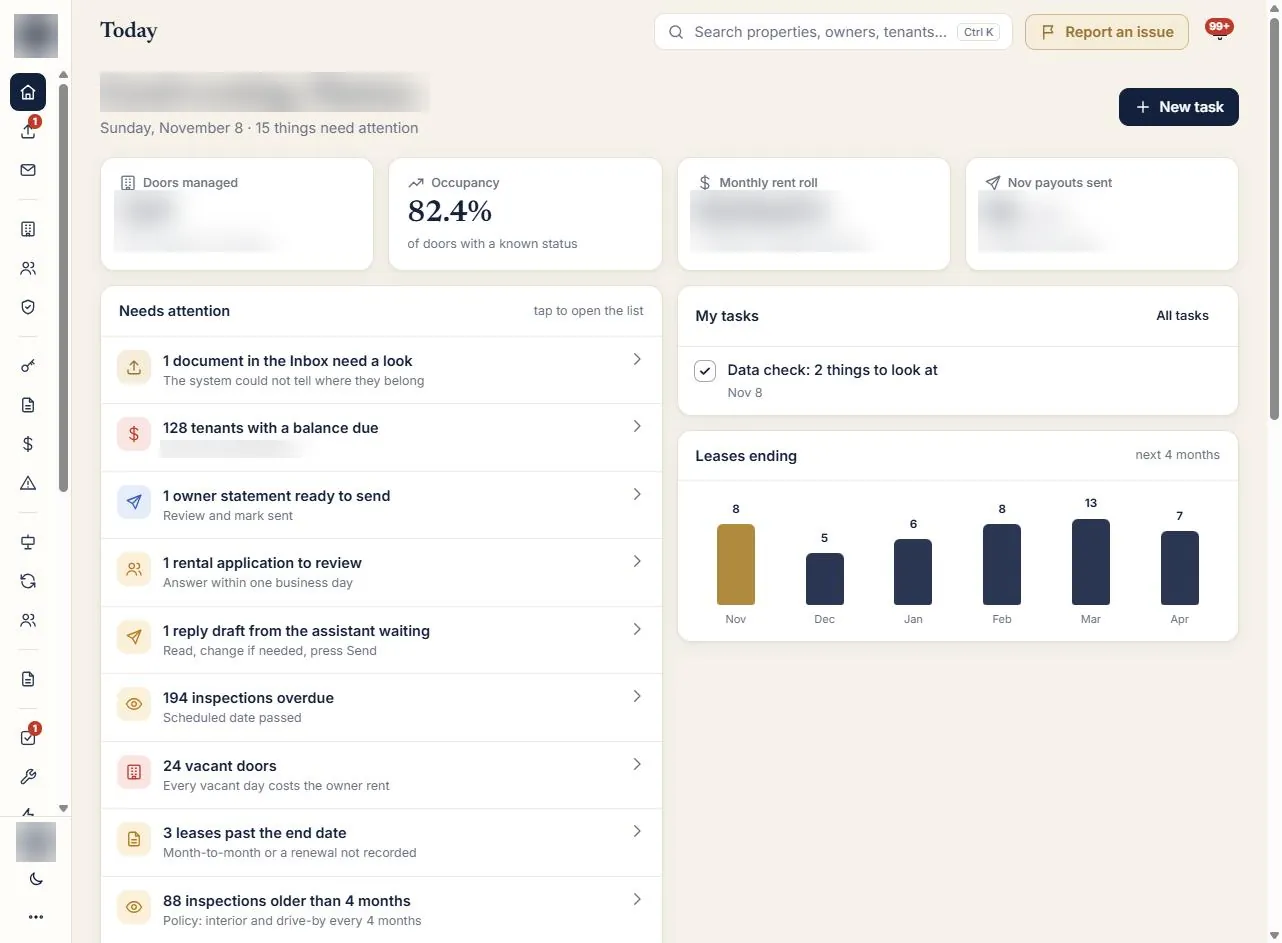
Property management CRM: daily dashboard screen (client data blurred)Property management CRM: compliance list screen (client data blurred)Property management CRM: ai reply drafts screen (client data blurred)Property management CRM: owner payouts screen (client data blurred)Property management CRM: late rent screen (client data blurred)Property management CRM: automations screen (client data blurred)
Case study 2

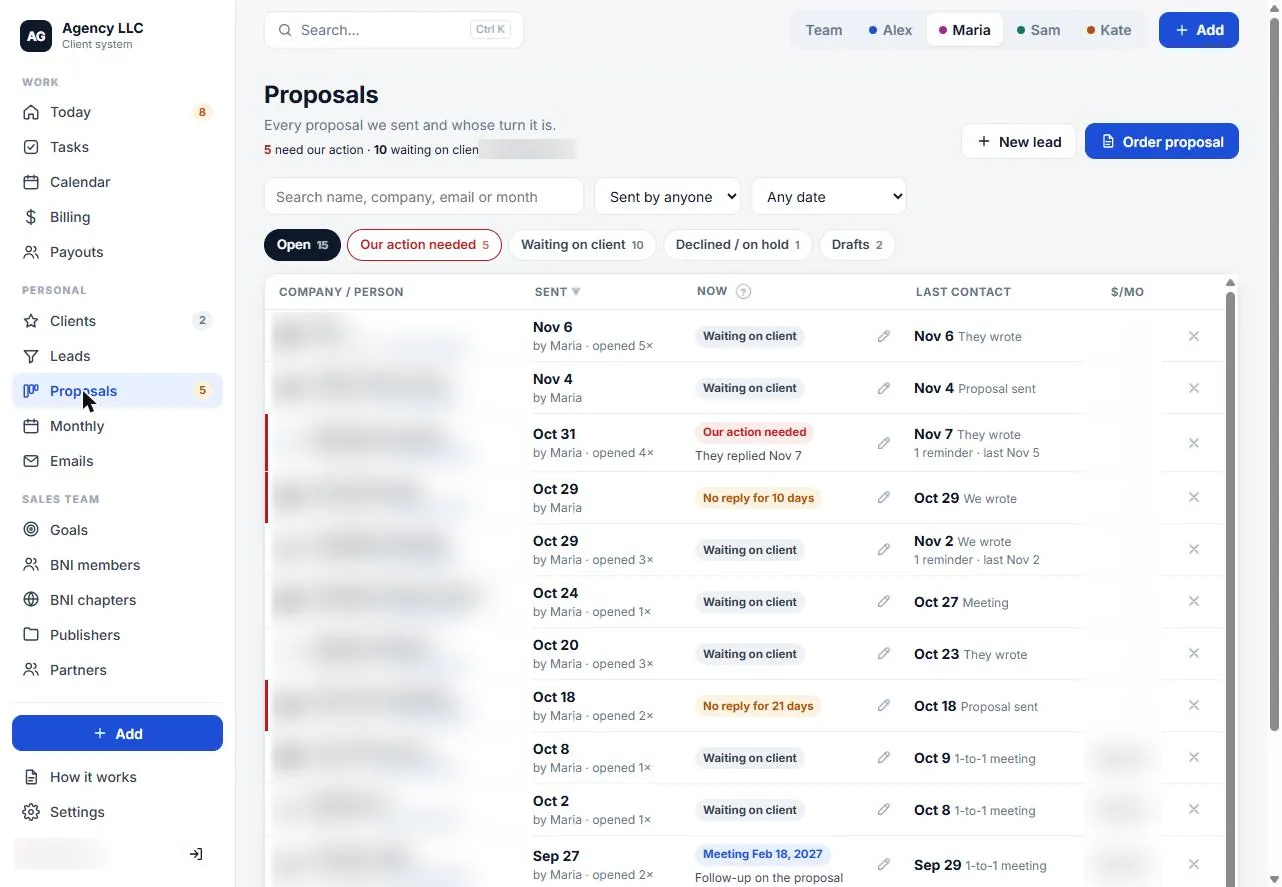
An all-in-one client and sales system for an agency

A marketing agency with a small sales team and a BNI networking pipeline.

What the CRM solved

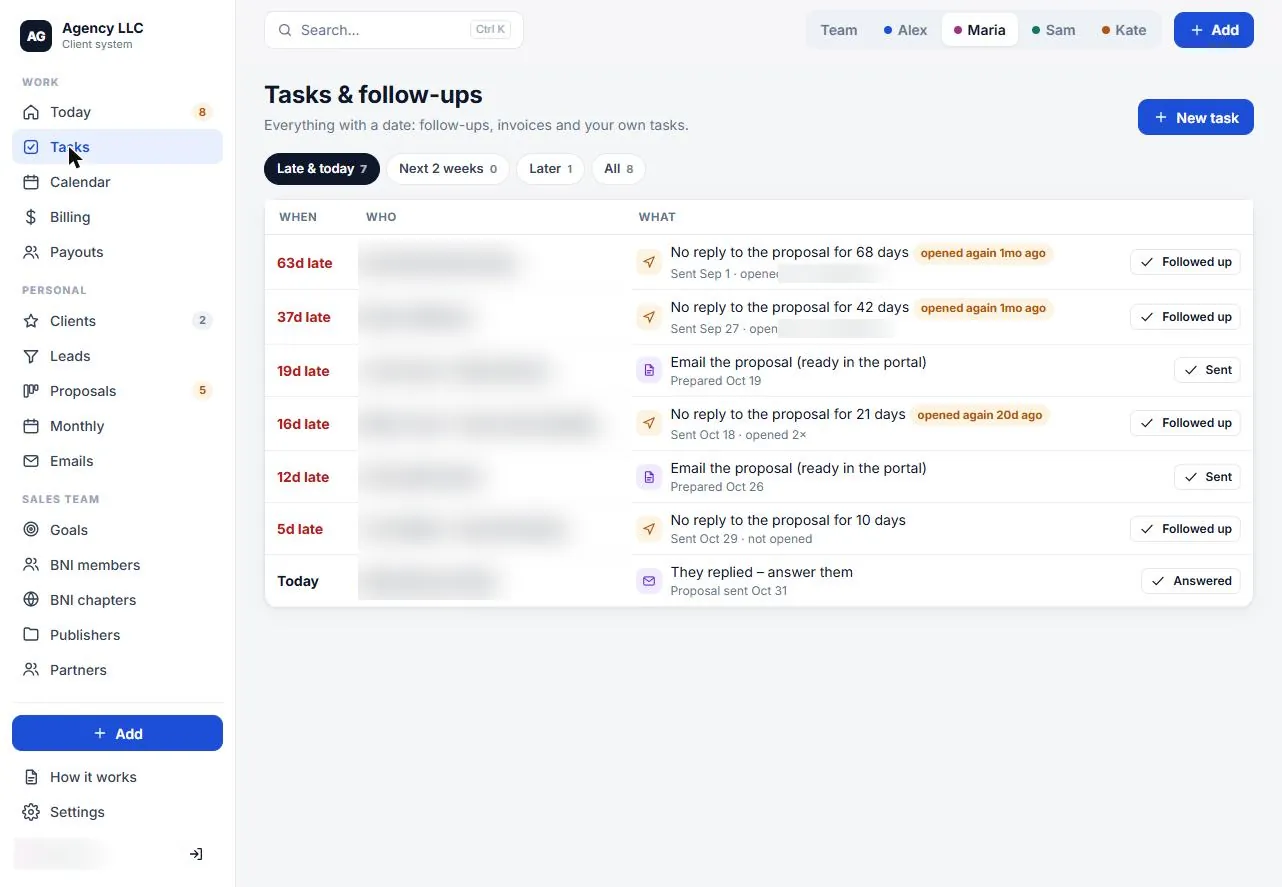
  • Nothing slips through the cracksToday and Tasks show follow-ups, replies waiting and what is overdue.
  • You know if a proposal was readOpens are tracked, and it shows whose turn it is.
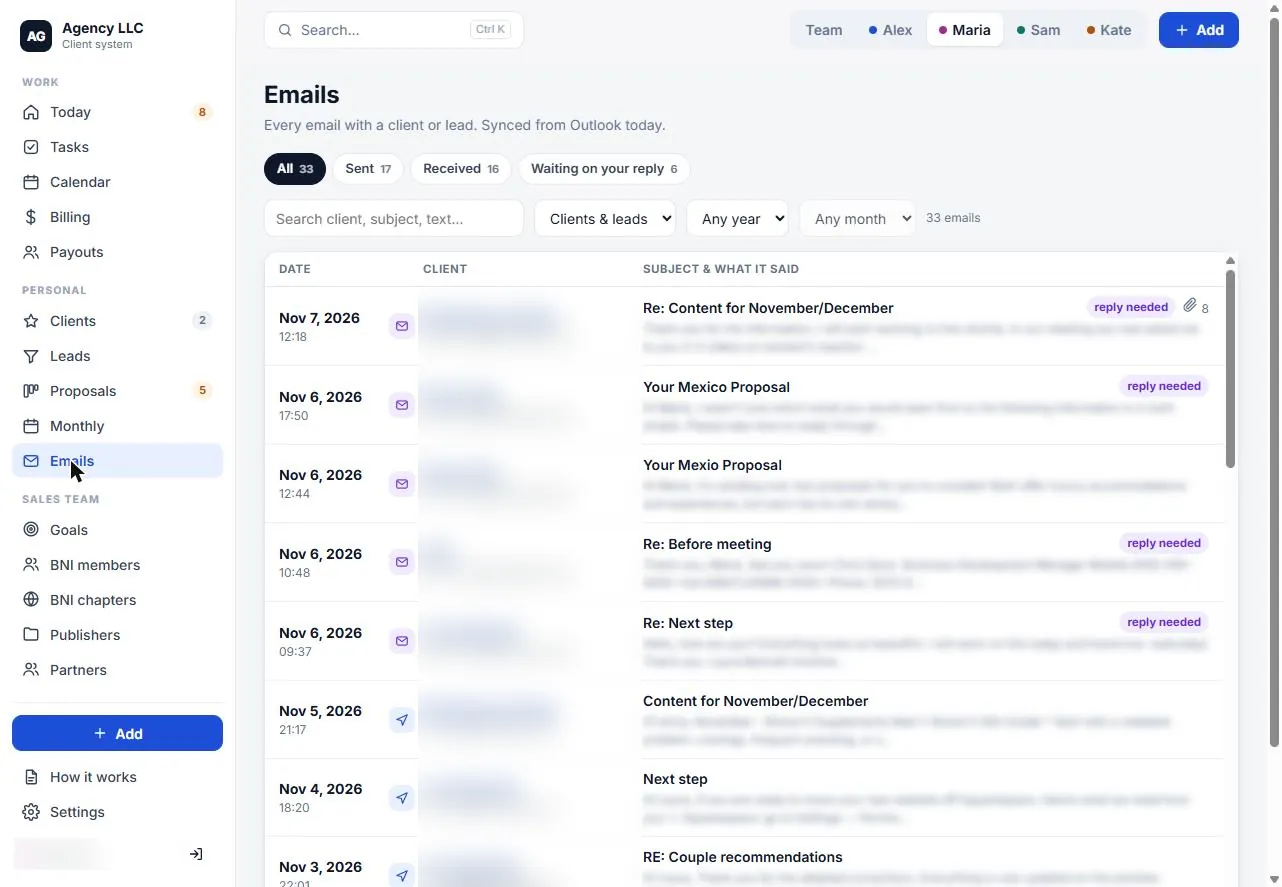
  • All emails in one place, per clientSynced from Outlook, with unanswered emails flagged.
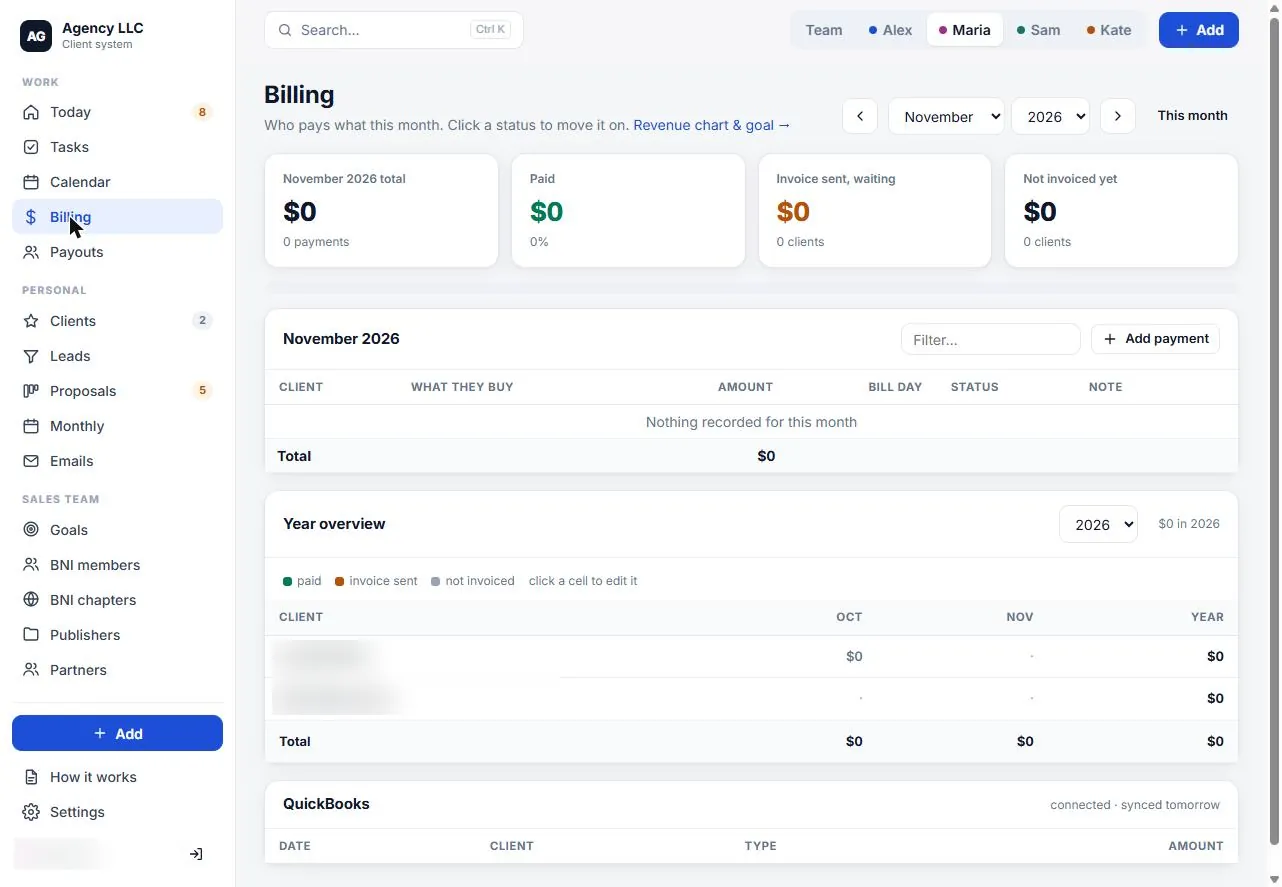
  • Money is visiblePaid, invoiced and not billed yet, connected to QuickBooks.
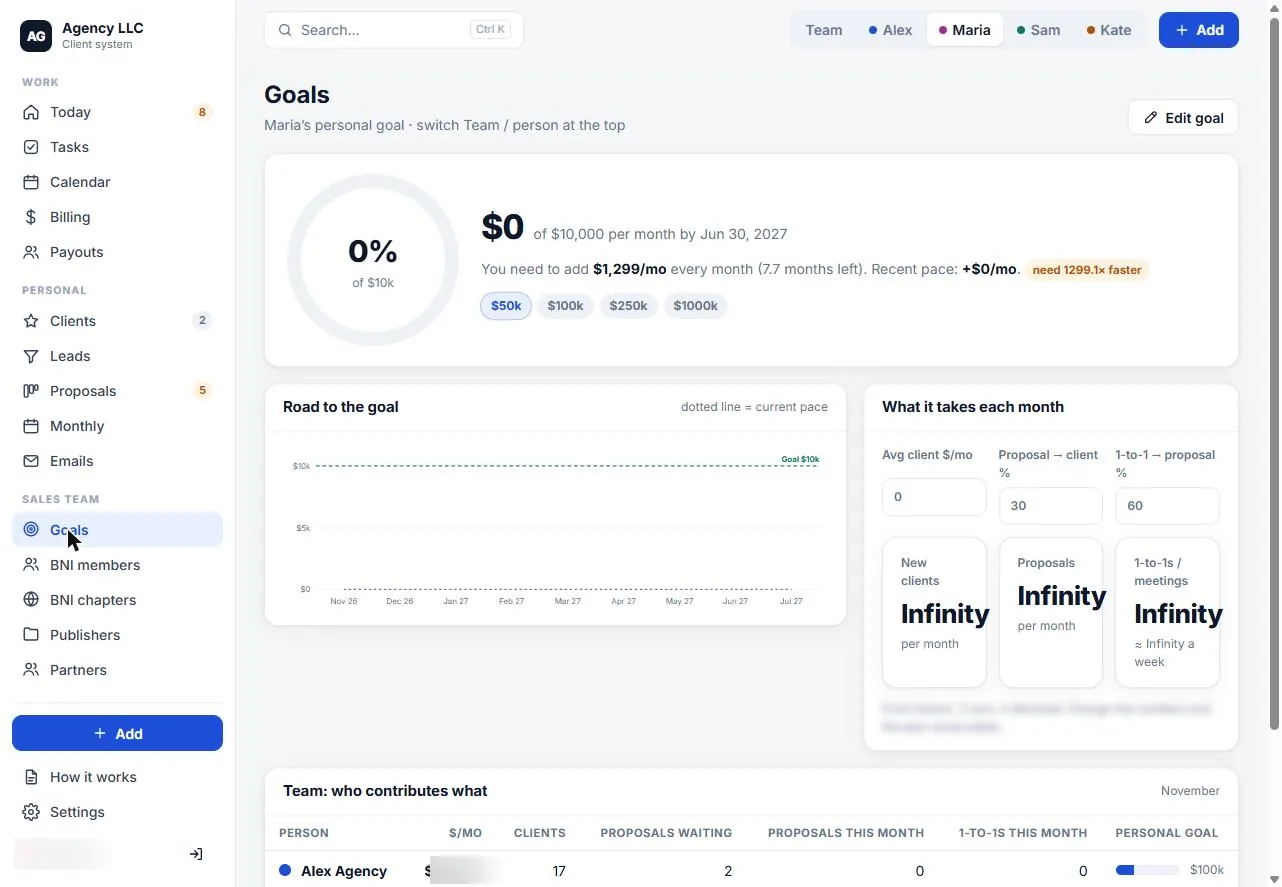
  • Clear goalsRevenue goal, the gap, and the meetings and proposals needed to close it.
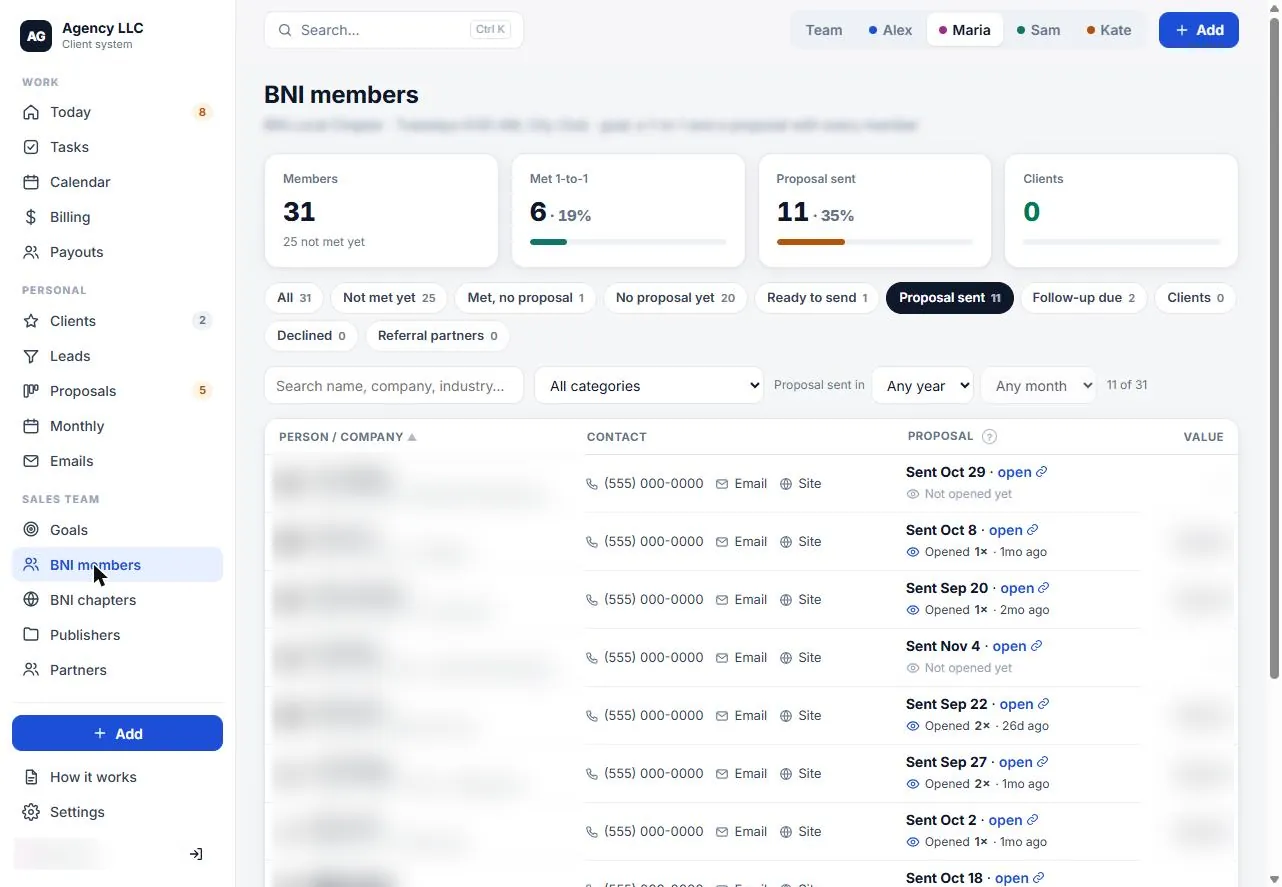
  • Networking turns into salesBNI 1-to-1s, proposals sent and members who became clients.
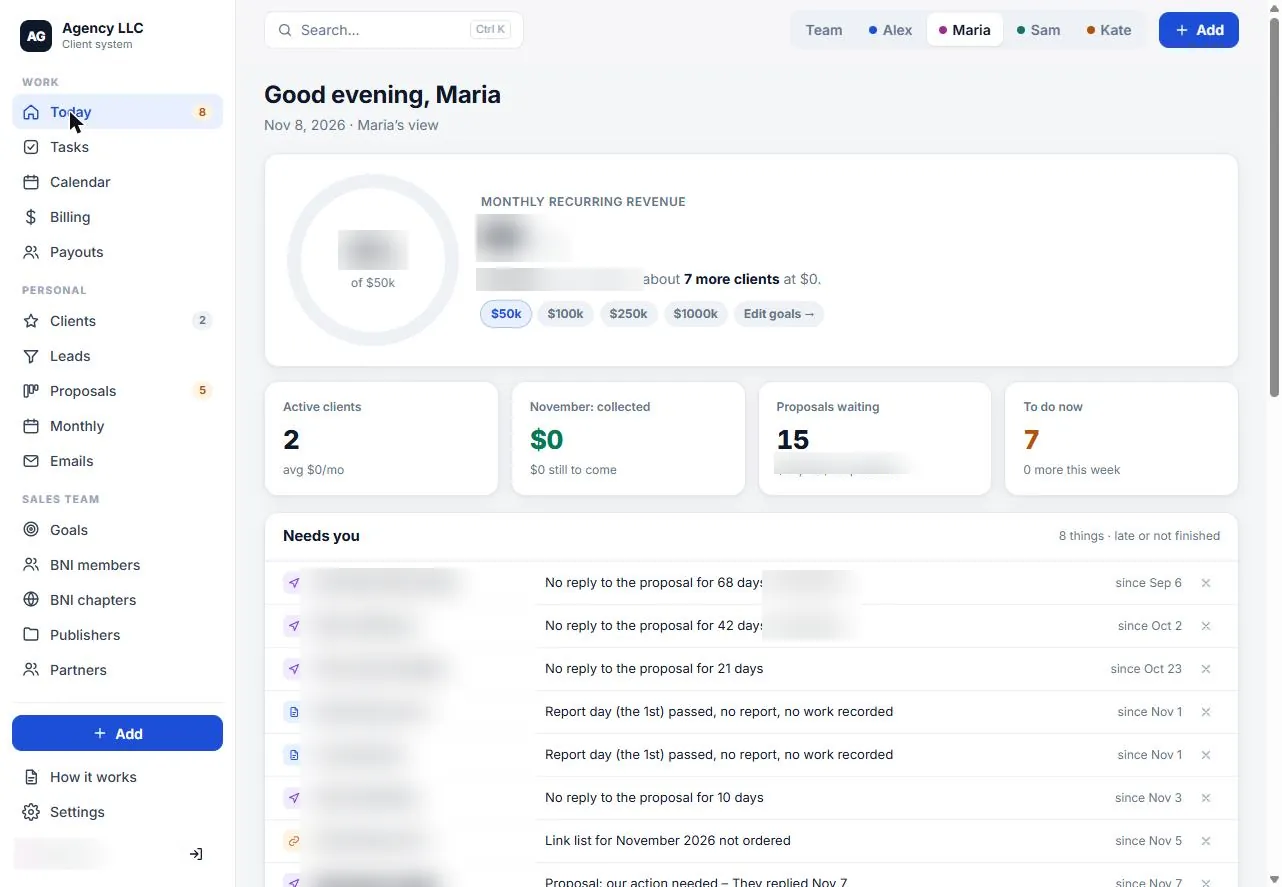
Agency client system: today screen (client data blurred)Agency client system: proposals screen (client data blurred)Agency client system: follow-ups screen (client data blurred)Agency client system: emails screen (client data blurred)Agency client system: billing screen (client data blurred)Agency client system: goals screen (client data blurred)Agency client system: bni pipeline screen (client data blurred)
CRMs we work withHubSpotSalesforcePipedriveGoHighLevelZohoand others with an API. Accounts always stay in your name.
How it runs

What happens after you say yes

  1. Week 1

    Map how you sell

    • Where inquiries come from
    • Who follows up and when
  2. Week 2

    Set up the pipeline

    • Stages, fields and users
    • Existing contacts imported
  3. Week 3

    Connect and automate

    • Forms and calls flowing in
    • First follow-up automations
  4. Week 4

    Train and review

    • Short training for your team
    • First pipeline review

The exact scope and price depend on your CRM and how much we automate. You get a clear written quote after the free call.

FAQ

Common questions, clear answers

Not necessarily. We start with what you use today, even a spreadsheet, and tell you whether it can do the job or what is worth switching to.

HubSpot, Salesforce, Pipedrive, GoHighLevel and Zoho most often, and other CRMs that can connect to your website and phone system.

You do. The CRM account and all contacts stay in your name. We work as a user you can remove at any time.

Yes. Website forms, booking tools and tracked calls are sent to the CRM with their source, so your team sees every new inquiry in one place.

Common examples are an instant reply to new inquiries, reminders and tasks for your team, short email or text follow-up sequences, and moving a contact to the next stage when something happens.

It depends on the CRM, the number of users and how much we automate. We look at your setup on a free call and send a clear written quote.

Recommended reading

Learn more before you decide

All articles

Book a free strategy call

30 minutes. We look at how inquiries reach you today, where they get lost and what a CRM setup would change. No obligation.