

Most Texas business owners assume Google crawls every page on their site every day. It doesn’t.
Google’s crawler — Googlebot — operates with a finite resource budget across the entire web. Your site gets a tiny slice of that budget. If your site is bloated, slow, or full of duplicate URLs, Googlebot exhausts the budget on garbage and leaves before reaching your money pages.
For a Dallas multi-location HVAC company, that often means service-area pages never get crawled, indexed, or ranked. The owner pays for content that never gets discovered. Crawl budget is the silent ceiling on growth.
Crawl budget is the finite amount of time Googlebot allocates to your site each week. If your site is large, slow, or full of low-value URLs, Google runs out of budget before it reaches your important pages — which means those pages never rank. The fix is rarely “more content.” It’s removing waste, fixing redirect chains, and signaling priority through internal linking and sitemap structure.
What Crawl Budget Actually Is (Without the Jargon)
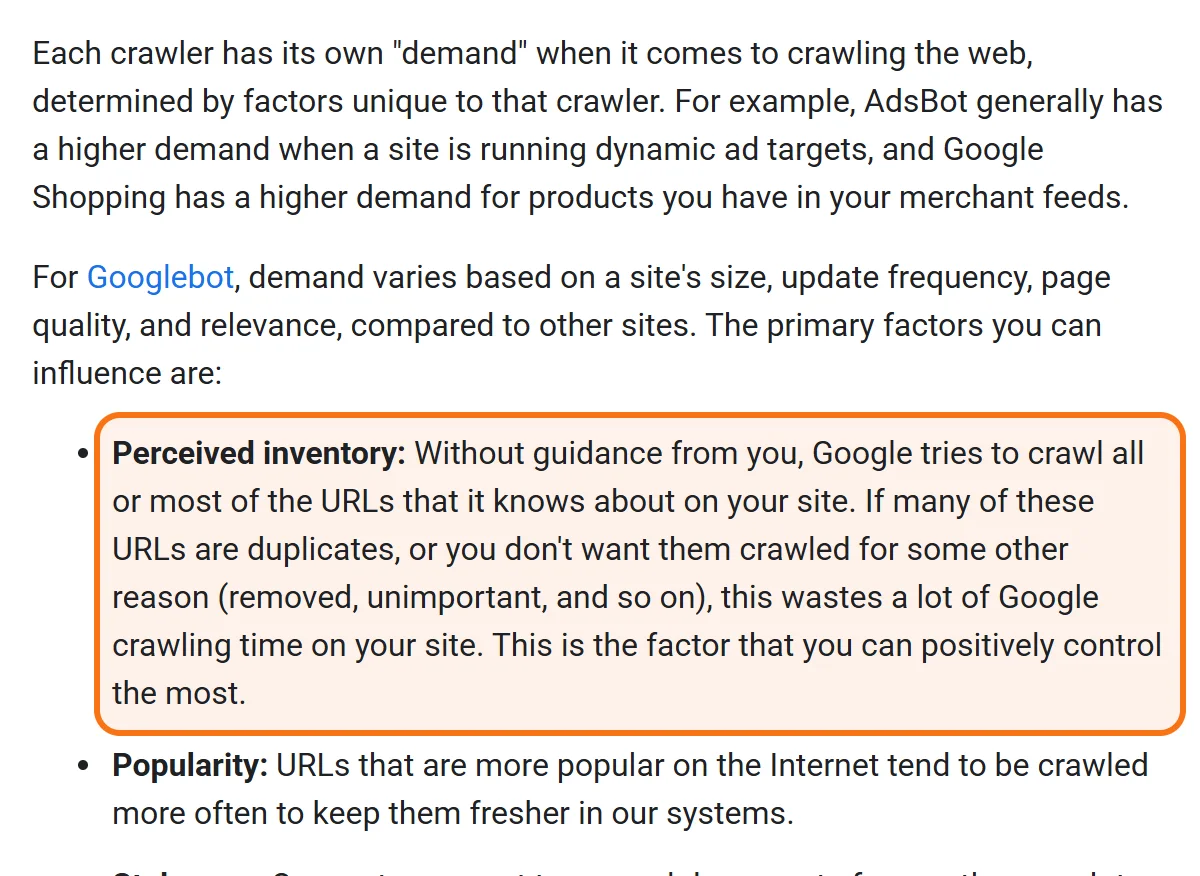
Crawl budget is Google’s answer to a simple problem: there are roughly 1.7 billion websites in existence. Even Google can’t crawl all of them constantly. So Googlebot rations its attention.
For each site (Google treats every hostname separately), Google weighs two things:
- Crawl capacity limit — how much crawling your server can handle without slowing down for real users.
- Crawl demand — how important and fresh your URLs appear to be (based on links, recency, traffic signals).
Taken together, these two set your effective crawl budget: the URLs Google can and wants to crawl. For a healthy 50-page Plano law firm site, that might mean Googlebot visits 60–80 URLs per day. For a 50,000-page e-commerce catalog in Frisco, it might mean only 2,500 URLs per day — which is why deep product pages never get reindexed.
Why Texas Businesses Should Care About a “Bot Budget”
Three real-world impacts:
1. New pages take weeks (or never) to index. You publish a new service page for “commercial roofing in Plano,” expect it to rank, and… it doesn’t appear in search results at all. Six weeks later you check Search Console: “Discovered — currently not indexed.” Google saw the URL in the sitemap but never spent budget crawling it.
2. Updated content stays stale. You rewrite a key landing page in March. Google still ranks the old version because budget was spent on irrelevant URLs and Googlebot didn’t recrawl yours.
3. Critical commercial pages get deprioritized. Your “contact” or “pricing” page gets crawled less often than your blog because internal linking signals favored the blog. Your blog gains authority, your pricing page loses it.
If “Discovered — currently not indexed” appears in your Search Console Page indexing report for many important commercial URLs, Google has found those pages but not crawled them yet, which points to a crawling problem. “Crawled — currently not indexed” is different: Google did crawl the page and chose not to index it, so check the page itself.
How to Diagnose a Crawl Budget Problem
Step 1: Pull the Crawl Stats Report
In Google Search Console, go to Settings > Crawl stats. Look at the 90-day chart:
- Average response time — under 600ms is healthy. Over 1,000ms means Google is throttling your crawl rate.
- Total crawl requests — should be relatively stable or growing with site size.
- File types crawled — if >25% of requests are images, JS, or CSS, you’re wasting budget on assets.
Step 2: Audit Your Indexable URL Count
Run a Screaming Frog crawl. Compare the number of indexable URLs to your Search Console “Indexed” count. A healthy ratio is 90%+ indexed. Below 70% means significant crawl waste.
Step 3: Identify Budget Sinks
The 5 most common crawl budget sinks for Texas business sites:
- Parameter URLs (e.g.,
?utm_source=...,?sort=price,?session_id=) — every variant is a separate URL Google may try to crawl. - Internal search result pages (e.g.,
/?s=keyword) — infinite combinations, zero indexing value. - Soft 404s — “empty” category pages or out-of-stock products returning 200 with no content.
- Redirect chains — Page A → Page B → Page C wastes 2x budget vs Page A → Page C directly.
- Archived blog tags & date archives — WordPress creates dozens of low-value
/tag/and/2024/05/URLs by default.
| Budget sink | What it looks like | Fix |
|---|---|---|
| Parameter URLs | Addresses ending in ?utm_source=, ?sort=price or ?session_id=; each variant counts as a separate URL | Block the patterns in robots.txt and remove them from the XML sitemap |
| Internal search result pages | Addresses like /?s=keyword: endless combinations with no indexing value | Block the search URL pattern in robots.txt |
| Soft 404s | Empty category pages or out-of-stock products that load normally but have no content | Return a real 404, redirect to the parent category, or add real content |
| Redirect chains | Page A sends visitors to Page B, which sends them on to Page C | Map every redirect to its final destination and replace each chain with a single hop |
| Tag and date archives | Dozens of low-value /tag/ and dated archive URLs that the site software creates by default | Block them in robots.txt and keep them out of the sitemap |
Check the list against your own site before publishing more pages. Each sink is a group of URLs Google may crawl instead of the pages you want found.
The 5-Step Crawl Budget Recovery Blueprint
Step 1: Cut the Junk URLs
For parameter URLs, internal search, and archives — block them in robots.txt and remove them from the XML sitemap. Example:
User-agent: *
Disallow: /*?sort=
Disallow: /*?session=
Disallow: /*?utm_
Disallow: /?s=
Disallow: /tag/
Disallow: /author/

Sitemap: https://yourdomain.com/sitemap.xml
Step 2: Flatten Redirect Chains
Crawl your site, export all 301/302 redirects, and map them to final destinations. Replace every chain with a single hop. Tools: Screaming Frog > Reports > Redirect Chains.
Step 3: Fix Soft 404s
In Search Console, open the Page indexing report and look for Soft 404. Either return a real 404 status, redirect to the parent category, or add real content so the URL has indexing value.
Step 4: Strengthen Internal Linking to Money Pages
The pages that earn the most internal links get the most crawl budget. Audit which of your pages receive the fewest internal links — if those are your service pages, you’re actively starving them.
Step 5: Improve Server Response Time
Faster servers mean Googlebot crawls more URLs per visit. Target sub-600ms TTFB from a Dallas-area test location. Cloudflare or KeyCDN with full-page caching usually delivers this for under $50/month.
Don’t use the “noindex” meta tag for waste URLs. Noindex still costs crawl budget because Google has to crawl the page to read the directive. Use robots.txt to block the URL pattern entirely, so Google does not crawl it. One caveat from Google: the freed crawling moves to your other pages only if the site was already hitting its crawl capacity limit.
Worked Example: An Arlington E-Commerce Recovery
Consider an Arlington home goods e-commerce store with 38,000 products in its catalog and only 6,200 indexed by Google. New product launches take 5–7 weeks to rank, by which time inventory has already moved.
A crawl audit of a store like this typically reveals:
- 14,000 URLs were filter combinations (
?color=red&size=large) generating duplicate content. - 4,800 URLs were soft 404s from out-of-stock products.
- Internal search was indexed, generating 9,500 thin URLs.
The fix: block parameter URLs and internal search in robots.txt, set proper canonicals on filter pages, and return 410 status on permanently discontinued products. In a scenario like this, indexed URLs can more than double within 6 weeks (say, 6,200 to 14,800), new product indexing drops from weeks to days, and organic revenue grows meaningfully quarter-over-quarter — without writing a single new page.
Crawl Budget Mistakes That Cost Texas Businesses Rankings
- Submitting every URL to Search Console. Quality over quantity — only submit URLs you want indexed and ranking. A bloated sitemap signals low priority.
- Generating thousands of location/service combinations. “Plumbing in Plano,” “Plumbing in Frisco,” “Plumbing in Allen” — if the pages are near-duplicates, Google may cluster them and show only one, and crawling time is wasted on the rest.
- Trusting the WordPress plugin to handle it. Most SEO plugins create more parameter URLs than they solve. Audit manually.
- Treating crawl budget as a permanent state. Crawl budget is dynamic. As your site cleans up and links accumulate, it grows. Get the foundation right and growth compounds.
The Bottom Line
Crawl budget is an invisible ceiling for large Texas business websites and for sites cluttered with junk URLs; Google says smaller sites whose pages get crawled promptly do not need to manage it. You can publish brilliant content all day, but if Googlebot can’t reach it — or it’s competing with 14,000 useless URLs for the same attention — none of it ranks.
Most crawl budget fixes are sub-week implementations with multi-quarter compounding returns. They are, page-for-page, the highest ROI work in technical SEO.
Frequently Asked Questions
Three quick signals: (1) New pages take more than 2 weeks to appear in Google’s index; (2) Search Console shows “Discovered — currently not indexed” for commercial pages; (3) Your indexed page count in Search Console is <70% of your total indexable pages. Any one of these means crawl budget needs attention.
For most small Texas business websites under 100 URLs, crawl budget is rarely a limiting factor — Google generally crawls them sufficiently. The exception is sites with severe technical issues (slow servers, redirect chains, soft 404s) where even a small site can hit budget limits. The fixes still apply; the urgency is just lower.
Crawling is when Googlebot visits and downloads a URL. Indexing is when Google decides the URL is worth adding to its searchable database. A page can be crawled but not indexed (Google decided it’s low quality or duplicate). It cannot be indexed without first being crawled. Crawl budget controls the first step.
Indirectly, yes — significantly. Crawl budget itself isn’t a ranking factor. But pages that are crawled and indexed regularly stay fresh, accumulate authority, and respond faster to content updates. Sites with clean crawl budgets typically see 25–60% more organic visibility within 90 days of cleanup.
Suspect your site is bleeding crawl budget?
We’ll crawl your domain, map every budget sink, and deliver a prioritized fix-list usually within 5 business days. No retainer required.
Request a Crawl Budget Audit See Technical SEO ServicesCall (346) 244-8617Book a free 30-minute call
Dallas, Texas · no obligation · you speak to Mantas, not a sales desk


